The Ultimate Guide to Buying a MacBook in Sri Lanka (2026)
Last updated 30 August 2026
Buying a MacBook in Sri Lanka is an entirely different experience compared to purchasing one directly from an Apple Store overseas. Because we rely on third-party dealers and lack access to direct Apple lease programs, the buying process requires careful planning. Availability, pricing, and upgrade options fluctuate heavily depending on where you shop, making it a challenging market to navigate.
You are locked into what you buy on day one
The most critical factor to understand before spending your money is that modern MacBooks offer zero post-purchase upgradability. You cannot swap out the RAM (Unified Memory) or the internal storage (SSD) later on, as these components are permanently soldered to the motherboard. You are locked into whatever configuration you buy on day one. Therefore, future-proofing is essential; you must choose a machine with specs that will comfortably handle your workflow for the next three to four years.
Apple's 2026 lineup offers several distinct tiers of computers. To make the right choice, you need to understand exactly what each model provides and who it is built to serve.
Watch: the lineup in brief
Video hosted on YouTube. Playing it loads content from Google, which may set its own cookies. See our privacy policy.
MacBook Neo: the entry point
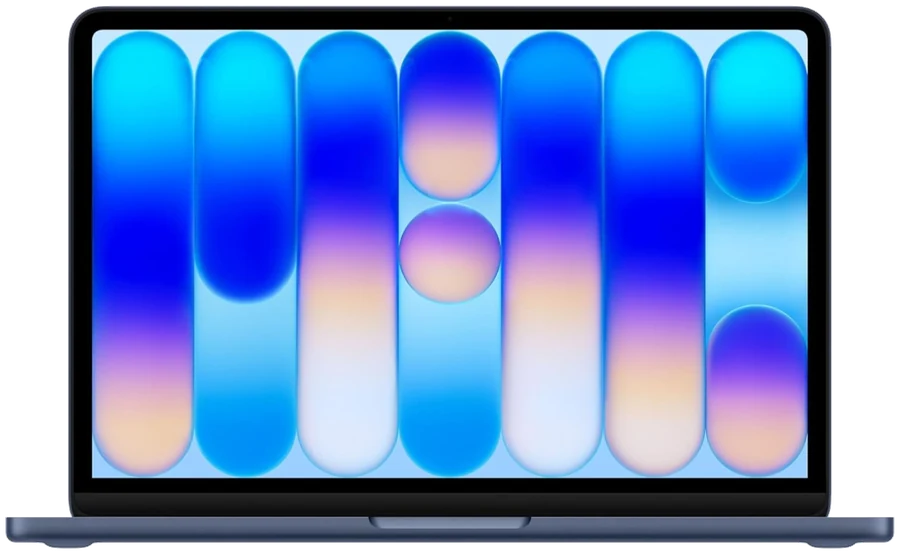
The newest addition to the lineup is the MacBook Neo. Serving as Apple's entry-level, budget-friendly option, it is powered by the A18 Pro chip. Surprisingly, it boasts better performance than the older M1 MacBooks. While it comes with a base configuration of 8GB of RAM and 256GB of storage, the way modern unified memory works makes this sufficient for everyday tasks. The Neo features a standard 13-inch LCD with sRGB colors and 500 nits of brightness, alongside two USB-C ports and a headphone jack. Its standout feature is its battery life, which can easily last up to two days. This machine is highly recommended for casual users, students, and anyone whose daily routine revolves around web browsing, watching videos, and light office work.
MacBook Air: the sweet spot
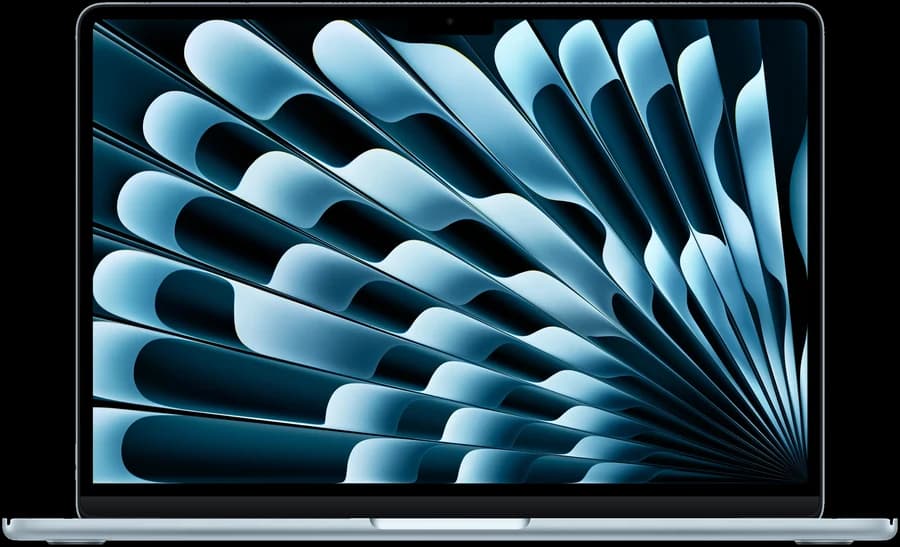
For those needing more power and extreme portability, the MacBook Air remains the sweet spot. It sits in the mid-range category, encompassing the M3, M4, and M5 chip series. The Air is the perfect companion for frequent travelers, university students, and those who require a highly portable device. While early models started with lower specs, it is highly recommended to seek out configurations with at least 16GB of RAM and 512GB of storage to ensure longevity (a standard that thankfully begins with the base M5 model). It handles basic coding, light video editing, and everyday multitasking without breaking a sweat, all in a fanless, silent design.
A note on what we compare: MacPrice tracks the current M5 Air. If you are looking at an M3 or M4 machine, it will most likely be clearance or second-hand stock, which is outside what this site covers.
MacBook Pro: for heavy lifting

If your work demands heavy lifting, the MacBook Pro is the necessary upgrade. The jump from the Air to the Pro is substantial. The Pro models feature a vastly superior, vibrant XDR display and significantly better audio quality. Crucially, they include active cooling fans, which prevent the machine from overheating and throttling performance during intense, sustained tasks. They also offer a wider array of connectivity options, including HDMI ports and SD card readers. The MacBook Pro is strictly intended for high-end users, such as professional video editors rendering 4K footage, graphic designers, 3D animators, and heavy software developers.
Mac mini: the value option
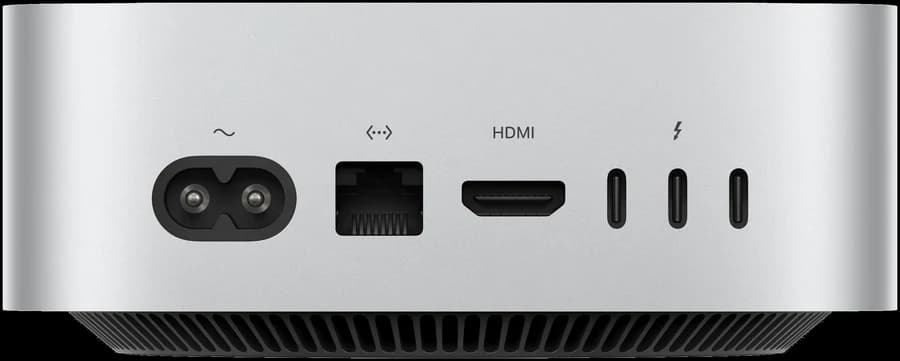
Alternatively, if portability is not a requirement, the Mac Mini offers incredible value. If you already have a desk setup with a monitor, keyboard, and mouse, the Mac Mini provides desktop-class power for roughly half the price of a comparable MacBook Pro. It features excellent built-in thermal systems and plenty of extra ports. It is the ideal choice for desk-bound creatives and professionals who need high performance on a tighter budget.
Checked against today's prices: the entry Mac mini starts at LKR 274,000 across the shops we track, against LKR 520,900 for the entry MacBook Pro, which is about 53% of the price. These figures update automatically as retailers change them.
Buying second-hand
Finally, if a brand-new MacBook is simply out of reach, Sri Lanka has a thriving second-hand market. Platforms like Facebook Marketplace and reputable used-laptop dealers offer great alternatives. However, buying used requires vigilance. Never pay full market price, and always negotiate based on the machine's condition. You must meticulously check the battery health and cycle count, as a high cycle count indicates the need for an impending, costly battery replacement. Furthermore, ensure the device is free from any Activation Locks or Mobile Device Management (MDM) profiles, and physically test every port, key, and the display before handing over any money.
Note that MacPrice compares new machines from Sri Lankan retailers only. The second-hand market is worth knowing about, but it is not something we track or can quote prices for.
Before you pay: what to establish with the shop
Choosing the machine is the first half. The second is making sure the purchase itself is sound, and this is where the Sri Lankan market differs most from buying direct.
The price difference between shops is real, and it is large
It is easy to assume Apple pricing is fixed. It is not. Across the retailers we track, the gap between the cheapest and dearest listing for an identical configuration is routinely tens of thousands of rupees, frequently more than the cost of a memory upgrade.
Two things drive it. Shops import in different ways and at different times, and the exchange rate moves. Neither is visible on a product page, which is the entire reason this site exists. Every product page here shows the spread for that exact configuration.
Warranty is the question that matters
Ask one question before anything else: who honours the warranty, and where do I take the machine? A cheaper price with no local service route is not obviously cheaper. Get the answer in writing, on the invoice. Specifically worth establishing:
- Is the warranty Apple's, or the shop's own?
- If it is the shop's own, what is the term, what does it exclude, and what happens if the shop closes?
- Where does a repair physically happen, and who pays to ship the machine if it has to leave the country?
- Is the machine new and sealed, or has it been opened, used as a display unit, or returned by someone else?
TODO(oshadha): add the current list of Apple authorised resellers and service providers operating in Sri Lanka. Naming them is genuinely useful here, and I would rather leave this blank than list a shop as authorised on a guess.
Watch the payment method
Several Sri Lankan retailers quote two different prices for the same machine, one for cash or bank transfer and a higher one for card. This is common enough that we detect and label it on the comparison table, but not every shop advertises it clearly. Before comparing two shops, make sure you are comparing the same payment method.
Weigh what you give up, too. Paying by card can carry protections that a bank transfer does not, which is worth something on a purchase this size.
Verify the machine, not the listing
Once you have the machine, ideally before you leave the shop, check it against Apple's own records rather than against the box. Every Mac has a serial number, and Apple's coverage checker will tell you the model it corresponds to and whether warranty coverage has already started. A coverage period that began months ago means the machine has been sitting in a supply chain, or is not as new as described.
Confirm the configuration matches what you paid for. The chip, the memory and the storage are all visible in About This Mac. Given that none of them can be changed afterwards, this is the only moment to catch a mismatch.
Things a listed price usually excludes
- Delivery. No price shown on this site includes it.
- Card fees, where a shop prices cash and card differently.
- Extended warranty or AppleCare, where offered.
- Accessories. Check which power adapter is in the box. The faster one is not always included on the entry configurations.
Confirm stock before you commit
Prices here are collected hourly and stock can sell out in between. Beyond that, a good number of Sri Lankan shops publish no stock information at all. Where that is the case we show a question mark rather than guessing, but it does mean a listing being present is not evidence the machine is in the building.
Ask directly, and be specific: the exact configuration, the exact colour. Colour availability is genuinely patchy here, and it is common for a shop to have the model but not the finish you want.
If you are buying an M5 Pro
One trap specific to this tier: the M5 Pro exists in more than one core-count configuration at the same memory and storage, at different prices. Most shops here do not say which they are selling. If two listings look identical but differ noticeably in price, this is frequently the reason, so ask before assuming one of them is a bargain.
A short checklist
- Buy the memory and storage you will need in three years, because you cannot add them later.
- Compare the same configuration, not the same model name.
- Compare the same payment method.
- Establish who honours the warranty and where.
- Confirm the exact colour is in stock.
- Check the serial number against Apple's coverage records.
- Confirm the price on the shop's own page before paying.
That last one is not a disclaimer. Prices here are read from retailer pages hourly and can lag, so the shop's page is always the authoritative one. How the readings are made is described in our methodology.
Keep reading
Still deciding between two machines? MacBook Air or MacBook Pro? goes deeper on that specific choice, and understanding Mac specifications covers how much memory and storage is actually enough. When you know what you want, compare what Sri Lankan shops are charging for it.